Remove Text From Video

Remove text, watermarks, and subtitles from video online free — AI-powered, no blur, no login required. Get professional results in seconds!

beginStart Remove
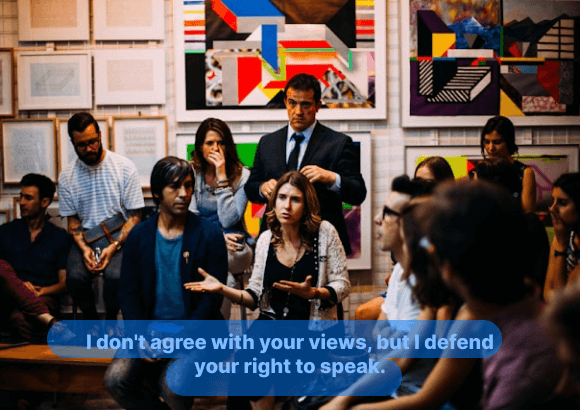
Video frame after removing text from video with AI — clean result, no blur
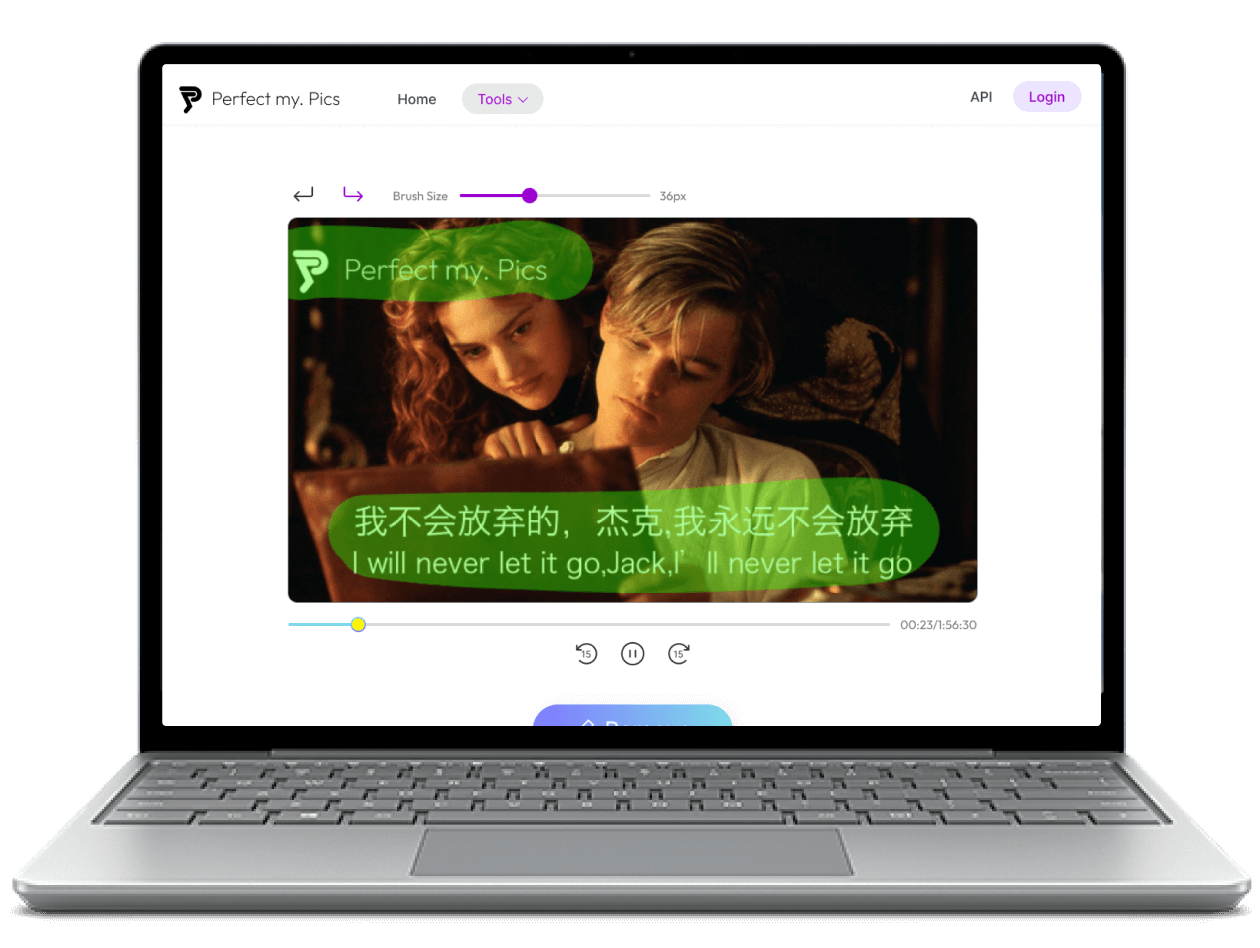
Original video frame with hardcoded text and watermark before removal
Remove Sample
Leverage AI to seamlessly remove text, intelligently reconstruct the removed area with surrounding imagery, and maintain the original video’s clarity and naturalness.
How to remove text from video?

How to remove text from video?

Step 1: Upload your video to the free online text remover

Open PerfectMyPics in any mobile or desktop browser — no login or signup required. Click the Start button and upload the video you want to edit, or simply drag and drop it onto the page. This online free tool supports MP4, WebM, AVI, and more.

Step 2: Select the text or watermark area to remove

Use the brush tool to highlight the words, letters or watermark you want to delete. Our AI-powered detection ensures precise selection, so the surrounding video stays sharp and clear — without blur or distortion.

Step 3: Remove text and download your clean video

Click the Remove button and let the AI erase the selected text in seconds. Once processing is complete, download your clean video for free — fast, easy, and ready to share.
Remove Text From Video Online Free — AI-Powered

Remove Text From Video Online Free — AI-Powered

PerfectMyPics is a free online video text remover that makes erasing unwanted text feel effortless. Powered by advanced AI technology, simply select the text area and watch it disappear automatically — no login, no signup, no software to install. Whether you're on a desktop or mobile browser, removing text from videos has never been easier.
Remove Text Without Blur — AI Precision

Remove Text Without Blur — AI Precision

Many video text erasers leave obvious blur marks, making the result look unnatural. PerfectMyPics is different. Its intelligent AI seamlessly blends the cleared area with the surrounding pixels, producing videos that look completely authentic — without blur or artifacts. With precise text detection, your viewers won't notice a thing.
Remove Subtitles and Captions from Your Videos

Remove Subtitles and Captions from Your Videos

Unnecessary subtitles or captions can detract from the viewing experience, especially if they are in a language that you or your viewers don't understand. With PerfectMyPics, you can easily remove text from videos downloaded from popular platforms like YouTube, TikTok, Facebook, Snapchat, Instagram, and more. It supports a wide range of video formats, including MP4, WebM, AVI, and can remove both soft and hardcoded subtitle files.
People love PerfectMyPics
    Amazing AI Text Removal from Videos
    I've been using the Remove Text From Video feature, and I have to say, it's absolutely amazing! The AI technology is so advanced that it can remove text from videos seamlessly, without leaving any traces behind. It's incredibly easy to use, and the results are always perfect. I highly recommend this feature to anyone who needs to remove unwanted text or watermarks from their videos.
    5.0
    Lifesaver for Removing Unwanted Text
    As a content creator, I often have to deal with videos that have unwanted text or logos. The Remove Text From Video feature has been a lifesaver for me. It's fast, efficient, and incredibly accurate. The AI technology is able to remove even the smallest bits of text, leaving my videos looking clean and professional. I can't imagine working without this feature anymore!
    5.0
    Groundbreaking AI Text Removal Tool
    I've tried a lot of different video editing tools, but none of them compare to the Remove Text From Video feature. The AI technology is truly groundbreaking, and it makes removing text from videos a breeze. I love how easy it is to use, and how quickly it gets the job done. If you're looking for a powerful and reliable video editing tool, this feature is definitely worth checking out.
    5.0

You ask a question, we answer it

    How to remove text from video online for free?

    You can use PerfectMyPics to remove text from video online for free. Simply upload your video, select the text area you want to remove, and let the AI do the rest. The tool merges the empty space with the surrounding pixels, leaving you with a 100% original video.

    How to remove text from Youtube/ TikTok video?

    To remove text from a Youtube or TikTok video, you can follow these steps: 1.Download the video from Youtube or TikTok using a video downloader tool. 2.Open PerfectMyPics on your browser and upload the downloaded video. 3.Select the text you want to remove. 4.Let the AI remove the unwanted text from your video without blur.

    How to remove TikTok watermark from a downloaded video?

    To remove the TikTok watermark from a downloaded video, you can use PerfectMyPics. Here are the steps: 1.Open PerfectMyPics on your browser and upload the downloaded TikTok video. 2.Select the TikTok watermark as the text you want to remove. 3.Let the AI remove the watermark from your video.

    How to remove text from videos on iPhone?

    You can open PerfectMyPics on your iphone browser to remove text from videos on your iPhone.

    What is the best free AI video text remover?

    PerfectMyPics is one of the best free AI video text removers available online. It uses powerful AI capabilities to remove texts and merge the empty space with the surrounding pixels, leaving you with a 100% original video. The tool is easy to use and doesn't require any complicated steps. Simply upload your video, select the text area you want to remove, and let the AI do the rest.

    Can I remove text from video without blur or watermark?

    Yes. PerfectMyPics uses advanced AI inpainting technology to fill in the removed text area with surrounding pixels, so the result looks natural — without blur, artifacts, or added watermarks. The tool is completely free to use, works directly in your browser, and requires no login or signup.

    Can I remove captions or subtitles from a video online for free?

    Yes. PerfectMyPics works as a free online caption remover for videos: upload your video, brush over the hardcoded captions, subtitles or lyrics you want to erase, and the AI removes them without blur. It works with videos from YouTube, TikTok, Instagram and other platforms.

    How do I delete or erase text from a video?

    Open PerfectMyPics in any browser, upload your video and brush over the text you want to delete. The AI text eraser clears the selected area in seconds and rebuilds the background from the surrounding pixels, so nothing is left blurred or watermarked. It works as a free online video text eraser on both mobile and desktop, with no login or signup.

    Can I remove words, writing or letters from a video?

    Yes. The same AI handles any burned-in wording — words, letters, handwriting, or a font overlay added by another editor. Brush over the words you want gone and PerfectMyPics erases them without blurring the rest of the frame, which makes it a free online video font remover for hardcoded text of any size or style.

    Is it safe to upload my photos and videos to PerfectMyPics?

    Yes. Uploaded files are used only to process your request. PerfectMyPics keeps your content private, retains it only as long as needed to provide the service, and then deletes or anonymizes it, as described in our Privacy Policy.