
Login
Remove Background
Instantly remove unwanted backgrounds from your photos
and replace them with beautiful scenes
and replace them with beautiful scenes
 Upload Image
Choose a image or drop it here
JPEG,JPG,PNG
By uploading an image or URL you agree to our Terms of Use and Privacy Policy
Drop your image here
(1 file at a time)
No image? Try one of there
Remove Samples
Suitable for portraits, product photography, animal photography, car photography, food photography, and more.
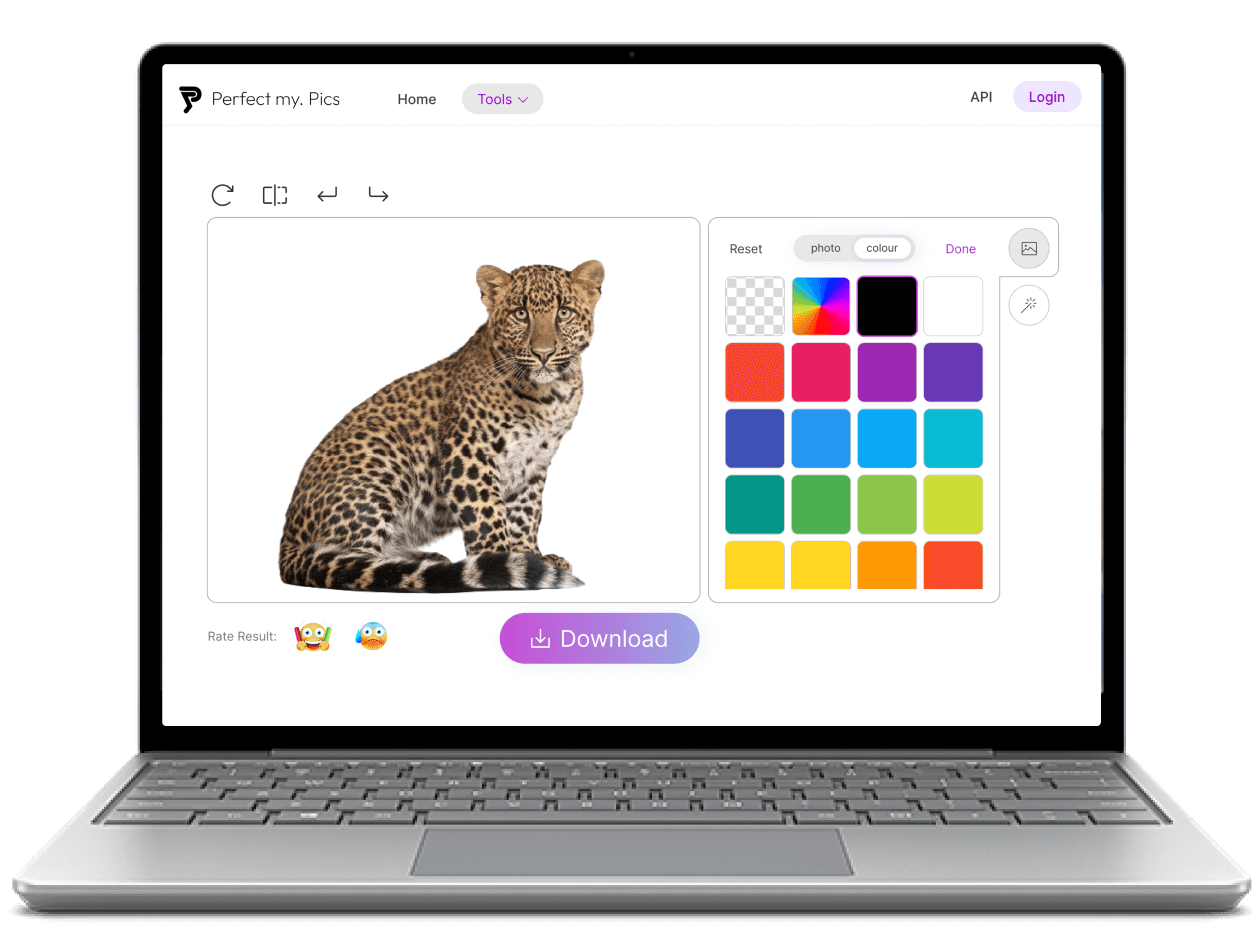
How to remove background from picture?
Step 1: Launch Remove Background and upload the image.
Launch Remove Background using a mobile or desktop browser, then click the upload button to browse and add the image you want to remove background, or drag and drop the image into the page.
Step 2: Remove background and replace background
Click Remove button to remove background, this will take a few seconds. Then you can opt for a classic white backdrop, select from a personalized collection of photo backgrounds, or maintain the transparency.
Step 3: Download images
Click Download button to download images that have removed or replaced background
Swift and Automatic Background Removal
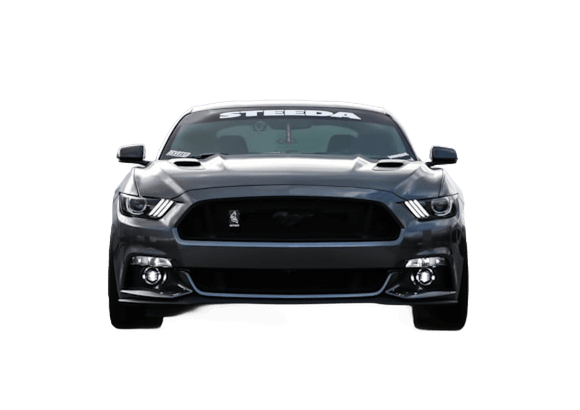
Experience the magic of automatic background removal with PerfectMyPics! Our AI-powered BG Remover strips away backgrounds in under a few seconds, leaving you with a pristine transparent or white background. Say goodbye to the hassle of manual editing. Whether you're dealing with HEIC, PNG, or JPG images, our tool ensures top-quality cutouts in no time. Ideal for both professionals and beginners, our background eraser makes photo editing fast and flawless. Try it today for HD quality results!

Customize Your Photo Background Easily
After removing your photo's background, you're left with a versatile transparent canvas. You can opt for a classic white backdrop, select from a personalized collection of photo backgrounds, or maintain the transparency.

Completely Free
The Remove Background feature offered by PerfectMyPics is completely free, with no hidden fees or charges. You can use this feature to remove the background from any image, and it will provide you with a high-quality image that has the same resolution as the original. This means that you can use your edited image for any purpose, without worrying about losing any of the original quality.
People love PerfectMyPics

Emma
Fantastic User Experience
The user experience with this AI background remover is simply fantastic! It 's incredibly intuitive—just upload your image, and the AI takes care of the rest in seconds. No complicated steps or technical know-how needed. Perfect for quick edits on the go. A real timesaver for anyone!
5.0

Noah
Impressive Free HD Quality
I'm blown away by the free HD quality of this background removal tool! It 's not often you find a free service that delivers such clear and high-resolution results. The images come out looking professional with no compromise on quality. This tool definitely exceeds expectations for a free service!
5.0

Olivia
Top-Notch AI Background Removal
This AI background remover works like magic! The accuracy and quality of the background removal are top-notch. Edges are clean and the final images are perfect for my projects. It's so effective, it feels like having a professional photo editor at your fingertips!
5.0
You ask a question, we answer it
What is the best background remover?
PerfectMyPics removes the background from an image automatically in seconds, for free and directly in your browser — no signup or installation. It accepts common formats like HEIC, PNG and JPG, keeps the original resolution, and outputs a transparent or solid color background, which makes it a strong choice for both professional and casual users.
How to remove background from picture?
To remove the background from a picture using PerfectMyPics, simply upload your image to our platform. The AI will automatically detect and remove the background, leaving you with a clean image. You can adjust the results if needed and download the final image with a transparent or solid color background.
How do I get a transparent background on my image?
After uploading your image to PerfectMyPics, our background remover will process it to remove the original background. The default result is an image with a transparent background. You can then download it as a PNG to maintain transparency, perfect for various design uses.
How to remove the background from an image for free?
PerfectMyPics offers a free version of our background remover that allows you to remove backgrounds from images at no cost. Just upload your image, let our AI do the work, and download your image with a transparent or new background for free.
How to delete the background image on iPhone / iOS devices?
On your iPhone or other iOS devices, simply open the PerfectMyPics mobile website or app, upload the image you wish to edit, and use the background remover tool. The process is automatic, and you can download the edited image directly to your device.
How to delete the background on a Mac or Windows computer?
To delete the background from an image on a Mac or Windows computer, visit the PerfectMyPics website, upload your image, and use the AI background remover tool. The AI will remove the background automatically, and you can save the edited image to your computer.
Is the background remover tool free?
Yes, PerfectMyPics offers a free version of our background remover tool, allowing users to easily remove backgrounds from images without any cost.
Is it safe to upload my photos and videos to PerfectMyPics?
Yes. Uploaded files are used only to process your request. PerfectMyPics keeps your content private, retains it only as long as needed to provide the service, and then deletes or anonymizes it, as described in our Privacy Policy.